
THE PRACTICAL ANSWER
Build a portable toilet service schedule from each site’s agreed service frequency, active units, access windows, and actual equipment requirements. Generate the visits, then check the crew and vehicle capacity before promising a route. Keep missed or partial work visible until the remaining service is resolved.
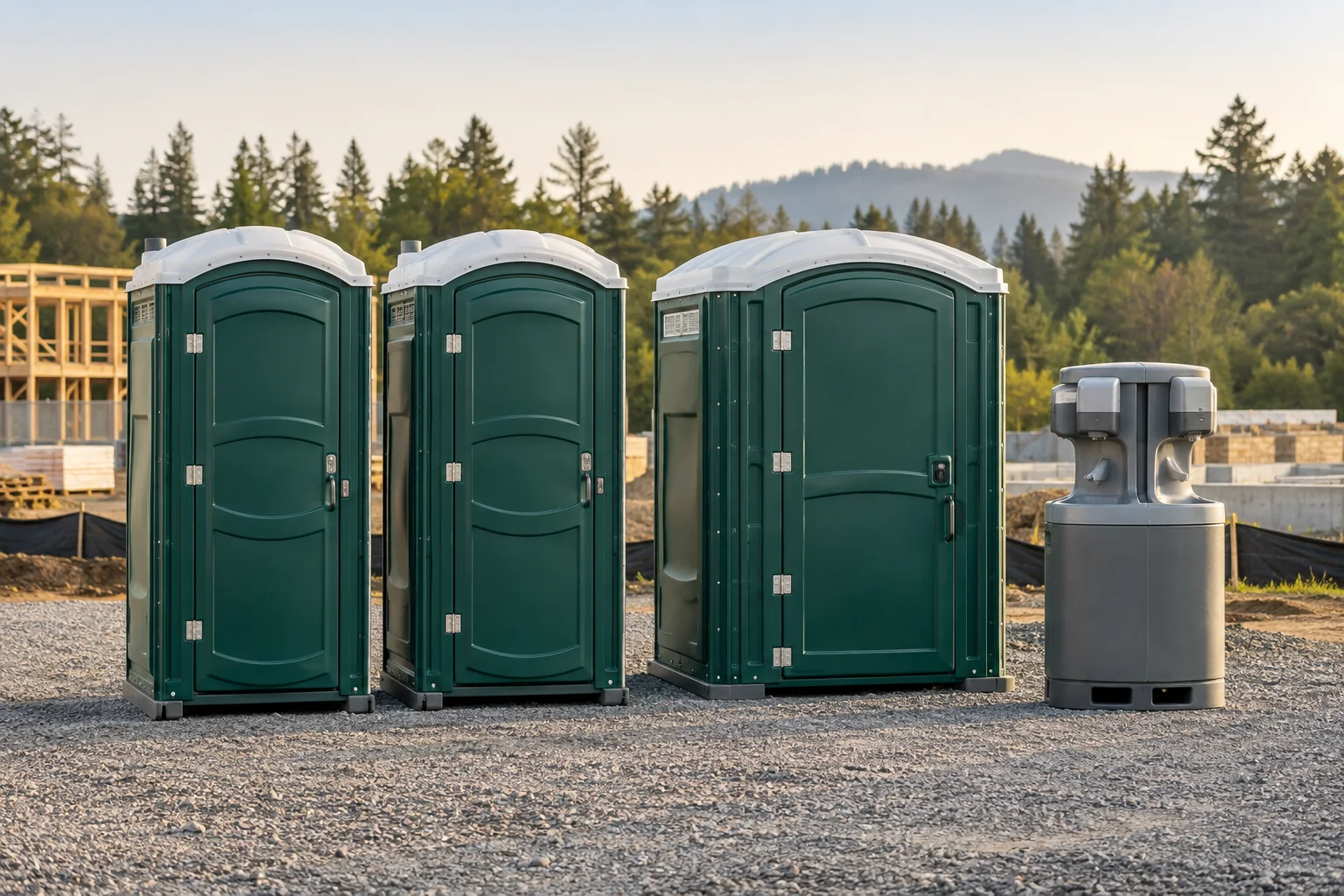
A rental can last months while the work at its site changes every week. Units arrive, a second work area opens, a gate schedule changes, and some equipment is collected before the rest. A repeat calendar entry is only useful if it follows those changes.
This guide covers planning and records, not cleaning procedures or a universal servicing frequency. Choose the actual service level for the site, usage, equipment, agreement, and applicable requirements. The example frequencies below are fictional planning inputs, not standards for every customer.
1. Build the site record before the recurring schedule
Use a separate site record for each service location, even when one customer pays for all of them. The customer’s billing office may be miles from the equipment. A useful site record helps a new crew find the right entrance and the right units without relying on someone else’s memory.
Record the site contact, access window, entry instructions, placement locations, product types, and quantities. Identify individual units once they are assigned. A handwashing station may be at a different work area from the toilets, so “three units onsite” is not always enough direction.
- Location: service address, entrance, and placement notes that reflect the current site.
- People: onsite contact and the office contact authorized to request changes.
- Equipment: standard toilets, accessible toilets, and handwashing stations recorded separately.
- Commitment: the agreed recurring frequency, service window, and start date.
- Exceptions: closures, restricted access, site changes, and pending work.
Keep sensitive access details inside your operating system and share them only with assigned staff. The downloadable planning template uses a placeholder for access notes; it is not a reason to circulate gate codes in a public or widely shared spreadsheet.
Review the record when the customer adds a location or equipment moves within a large site. A correct street address can still send a crew to the wrong placement area. Make changed instructions visible before releasing the next visit.
2. Keep the rental and its visits separate
The rental agreement describes what the customer has and the terms that apply. A visit describes a piece of work at the site: delivery, regular service, extra cleaning, relocation, exchange, or pickup. Cleaning a unit should not close and recreate its rental.
This is an established pattern in rental systems. ServiceCore’s rentals overview describes jobs attached to an ongoing rental, while PRO Software’s portable restroom workflow separates recurring service, equipment tracking, and rental charges.
Generate planned visits from the active schedule, but retain completed visit history when the future schedule changes. If a customer moves from Monday to Tuesday service, the new pattern should affect the intended future dates without rewriting last week’s completed work.
Define what a pause means. Pausing future cleaning visits, pausing billing, and collecting the equipment are three different actions. Record which was requested and approved. A “pause” button that changes all three without explanation creates avoidable confusion.
Likewise, cancelling a future visit does not prove that the rental ended. Keep the reason and the next action clear. If equipment remains onsite, someone should still own the customer’s ongoing service commitment and billing review.
3. Turn service commitments into a weekly plan
Start with the frequency agreed for each site. Assign candidate days that fit its access window and your coverage area. Multiple visits in a week should be visible as separate obligations, with room to move one occurrence without accidentally changing the whole pattern.
| Site | Active equipment | Agreed pattern | Review before release |
|---|---|---|---|
| Site A · construction | 2 standard toilets | Monday | Confirm the entrance is open during the service window. |
| Site B · construction | 1 accessible toilet; 1 handwashing station | Tuesday and Friday | Verify vehicle suitability, supply needs, and each placement location. |
| Site C · event | 4 standard toilets; 2 handwashing stations | Fixed-date delivery, agreed event service, then pickup | Use the event agreement; do not create an indefinite weekly renewal. |
Look forward beyond tomorrow. A rolling view of upcoming work helps you see extra visits, equipment additions, and holidays before the route is full. Choose a planning horizon your office can review reliably. More generated visits are not automatically a better plan if nobody checks changes.
Give each planned occurrence a clear identity so repeated scheduling runs do not create duplicates. When a visit is rescheduled, retain the link to the original obligation and its reason. Otherwise, the office may see both the old and new dates and mistake them for two services owed.
Download the service-planning template ↓Sites, frequencies, visit outcomes, and unresolved work · CSV · No signup requiredThe template is a starting point for review. It does not calculate a route, verify capacity, or determine a safe service interval. Populate it with confirmed operating information before using it to brief a crew.
4. Check the whole route, including disposal and refill
A short drive is only one part of a workable sanitation route. Confirm that the vehicle can perform the assigned work and that its available capacity and supplies are sufficient for the planned sequence. Missing values belong in an office-review queue, not in a guessed “optimized” route.
Separate transport jobs from cleaning work when they require different vehicles or constraints. A truck suited to service deployed units may not have the transport capacity needed for several deliveries. Each planned stop should have the appropriate equipment and work type attached.
- Service windows and the time needed for the actual number and type of units.
- Vehicle suitability and any equipment transport requirements.
- Verified wastewater capacity and expected collection assumptions reviewed by the operator.
- Freshwater and restocking requirements for the equipment on the route.
- Disposal or refill stops, opening hours, and the time they add.
- Crew availability, shift constraints, and a plan for unresolved exceptions.
A refill or disposal stop should appear as real work in the schedule when it is required. If the planner treats it as invisible travel overhead, the later appointments may look possible on screen while being impossible in practice.
Compare planned time with completed visit records after the route. Use what your operation actually observes to improve estimates by site and product mix. Avoid adopting another company’s claimed “stops per day” as a capacity promise for your vehicles, geography, or access conditions.
5. Record partial service and blocked access honestly
At the stop, the crew should see the assigned units, placement information, current instructions, and the work required. Record the units actually serviced, the relevant completion checklist, timestamps, notes, and photos according to the operator’s procedures.
If a site has four assigned units but only three are accessible, the useful result is “three serviced, one pending,” with the affected unit identified. A single completed checkbox hides the remaining obligation. A completely blocked site should stay visible as an attempted visit requiring follow-up.
Give the office enough information to act: the reason, the affected equipment, the contact attempt if applicable, and whether access or an assignment needs to change. The next action might be a call, a rescheduled visit, or a separate approved request. It should have an owner.
Capture changes in scope without silently turning them into billable extras. A customer asking the driver to clean another unit needs an office-approved record under your agreement. Conversely, rescheduling an included visit does not by itself establish an extra fee.
For offline work, verify which records the software actually stores and which need connectivity. Keep pending submissions visible, then check that synchronization attaches each event and photo to the correct visit without duplication. An old update arriving late should not erase a newer office decision.
6. Review service and billing on their own schedules
At the end of the day, compare planned units with serviced units and review all incomplete visits. At the end of the week, check that each site’s agreed pattern was met or that the exception has a documented follow-up. A total visit count alone can hide a missed site.
Track a few useful counts first: visits due, fully completed visits, partially completed visits, inaccessible stops, and field records waiting to synchronize. Keep those outcomes separate. If you calculate a completion rate, state whether its denominator is visits or units so the number remains interpretable.
Then review billing. Weekly or twice-weekly service can sit inside a 28-day rental period or an agreed monthly period. Confirm which visits are included and which extra work was approved. Our billing guide walks through dates and a partial-pickup example.
When units are collected, stop the appropriate future service obligations without deleting their completed history. Returned equipment should pass through the required cleaning, inspection, or repair status before it is considered available for the next reservation.
Gravel’s planned Core workflow creates recurring visits for office assignment. Pro adds sanitation planning with service and vehicle constraints. Sanitation and Combo remain in development; confirm readiness through a demo inquiry. If your team also runs dumpsters, keep the service types distinguishable within a shared office and use the dumpster checklist for deliveries, exchanges, and pickups.
Sources & further reading
These references support the workflow principles discussed above. The checklists and worked examples are original Gravel guides.
- ServiceCore: rental agreements and related service jobs ↗
- PRO Software: portable restroom service and rental workflows ↗
Published by Gravel, a rental business software provider. Examples are illustrative, and operators set their own rental rates and terms.